oauth2 h5项目
Go to file
2025-01-02 15:35:40 +08:00
.vscode feature: 实现oauth2登录 2025-01-02 15:16:04 +08:00
public feature: 实现oauth2登录 2025-01-02 15:16:04 +08:00
src feature: 实现oauth2登录 2025-01-02 15:16:04 +08:00
.editorconfig feature: 实现oauth2登录 2025-01-02 15:16:04 +08:00
.gitignore feature: 实现oauth2登录 2025-01-02 15:16:04 +08:00
.prettierrc.json feature: 实现oauth2登录 2025-01-02 15:16:04 +08:00
env.d.ts feature: 实现oauth2登录 2025-01-02 15:16:04 +08:00
eslint.config.js feature: 实现oauth2登录 2025-01-02 15:16:04 +08:00
index.html feature: 实现oauth2登录 2025-01-02 15:16:04 +08:00
package-lock.json feature: 实现oauth2登录 2025-01-02 15:16:04 +08:00
package.json feature: 实现oauth2登录 2025-01-02 15:16:04 +08:00
README.md feature: 调整项目说明 2025-01-02 15:35:40 +08:00
tsconfig.app.json feature: 实现oauth2登录 2025-01-02 15:16:04 +08:00
tsconfig.json feature: 实现oauth2登录 2025-01-02 15:16:04 +08:00
tsconfig.node.json feature: 实现oauth2登录 2025-01-02 15:16:04 +08:00
vite.config.ts feature: 实现oauth2登录 2025-01-02 15:16:04 +08:00

oauth2-h5

服务端

项目h5 https://git.leonmin.com/example/oauth2-h5

$ npm install
$ npm run dev

资源服务器 https://git.leonmin.com/example/oauth2-resource-server

$ make run/api # 或者go run ./cmd/api -port=4002

授权服务器 https://git.leonmin.com/example/oauth2-authorize-server

$ make run/api # 或者go run ./cmd/api -port=4001

截图
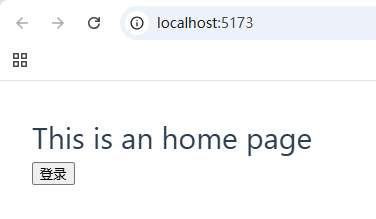
首页

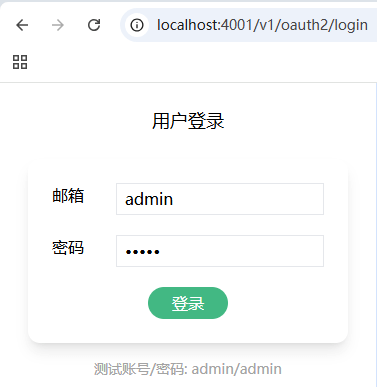
登录

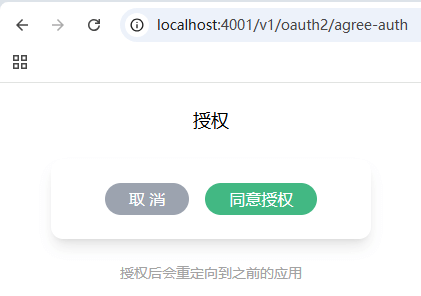
同意授权

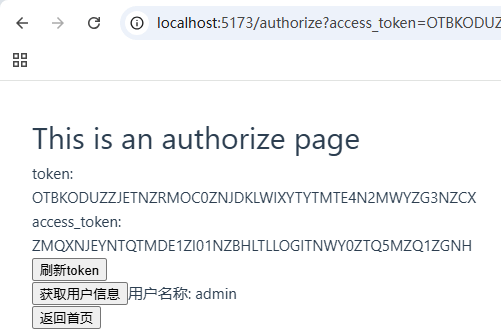
授权数据